Priority-ranked cards
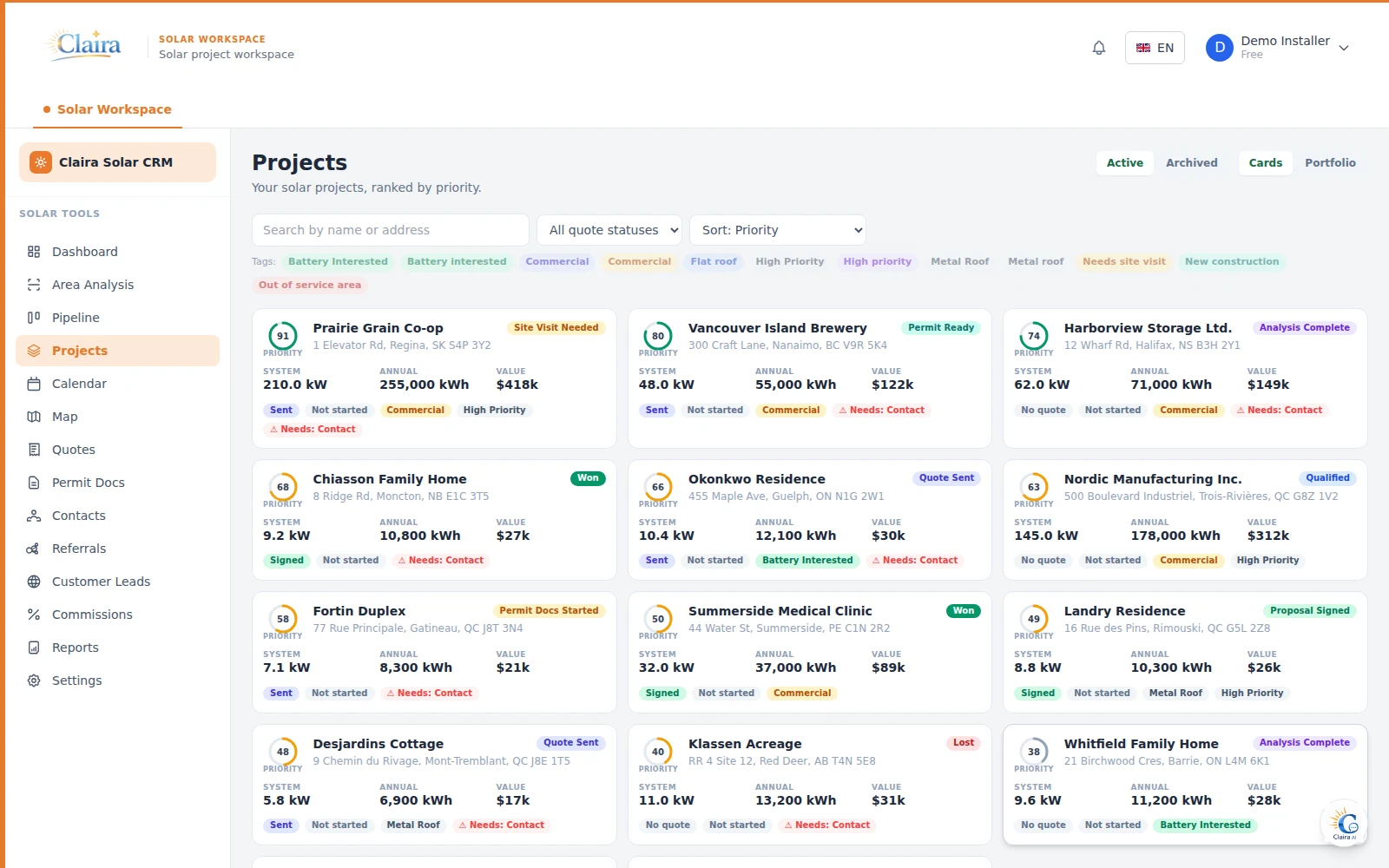
Every project gets a priority score from system size, stage, and value, so reps always know what to work next.
The Solar CRM inside solAIr gives your team one place to track leads, quote jobs, hand off installs, and get paid — connected directly to the solar analysis and design workspace, not a separate tool.
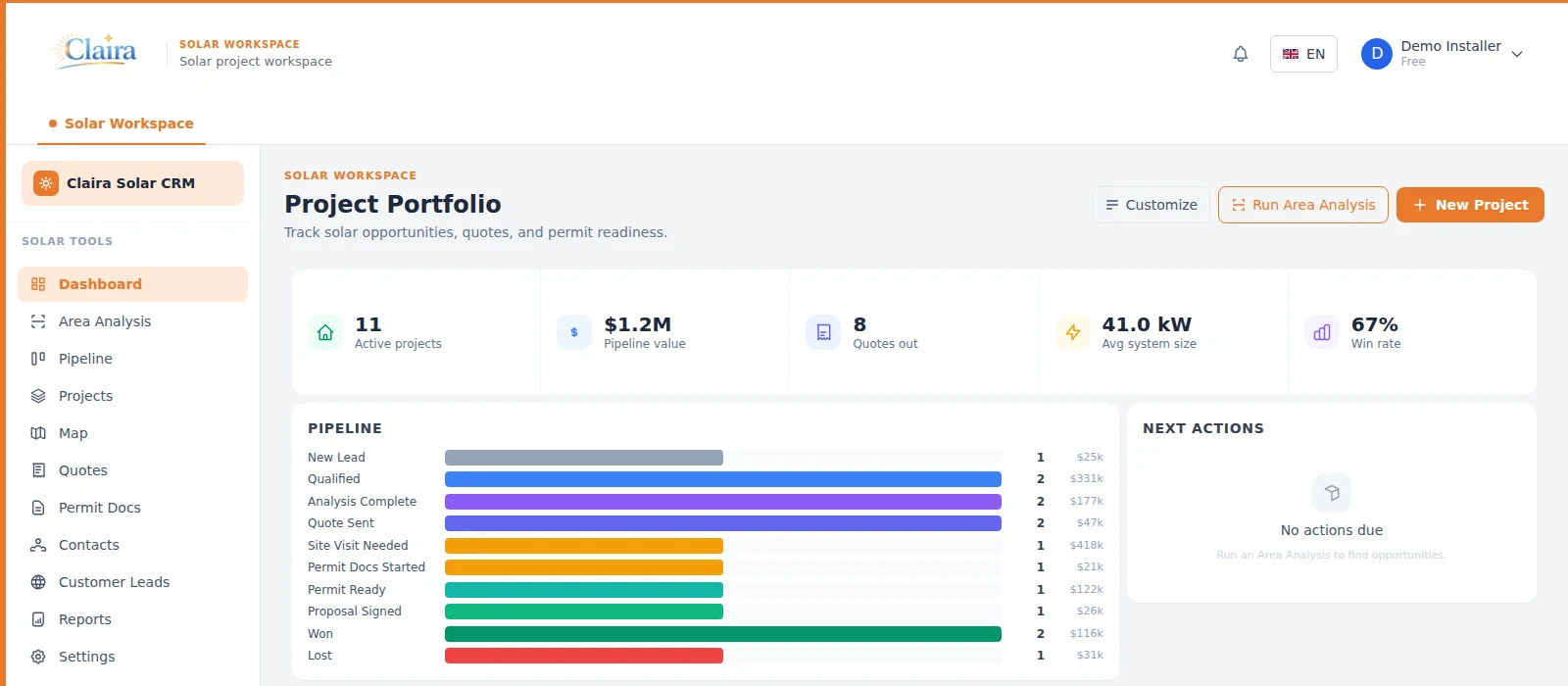
Sales Pipeline
Every project moves through ten stages — from new lead to won or lost — on a drag-and-drop board your team already understands. Rename, recolor, and reorder stage labels without breaking reports or automations underneath.
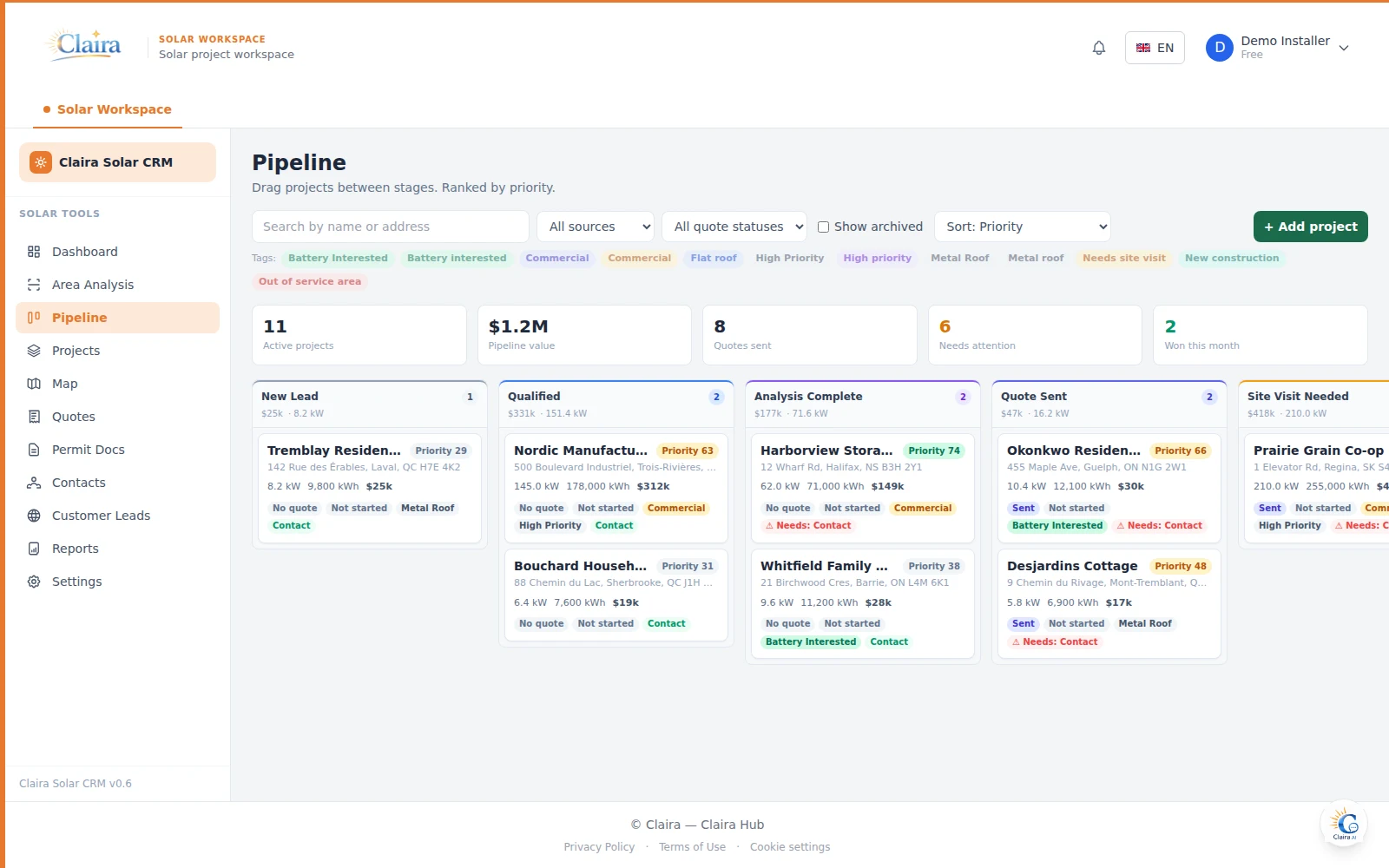
Every project gets a priority score from system size, stage, and value, so reps always know what to work next.
Tag projects — Metal Roof, Commercial, High Priority, and more — then filter the board or project list by any combination.
Relabel, recolor, or hide any of the 10 pipeline stages per account. The underlying stage IDs never change, so reports and automation rules keep working.
Dashboard KPIs — active projects, pipeline value, quotes out, win rate — update in real time as projects move.
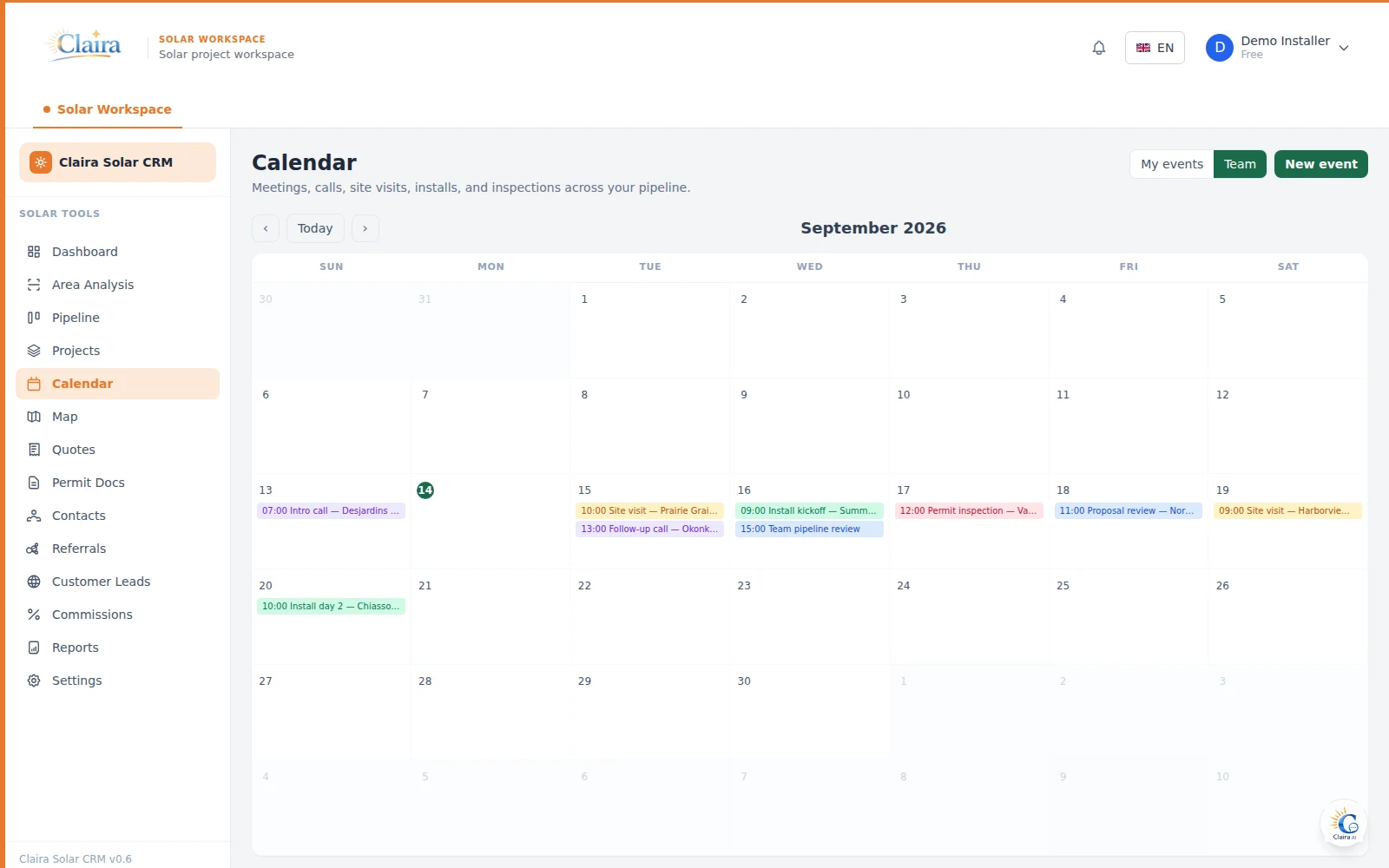
Calendar & Scheduling
A shared, color-coded calendar for meetings, calls, site visits, installs, and inspections — each one optionally linked to a project and a contact. Task due-dates from every project overlay on the same calendar, so nothing scheduled or due gets missed. Toggle between your own events and the whole team's.
Contacts & Quotes
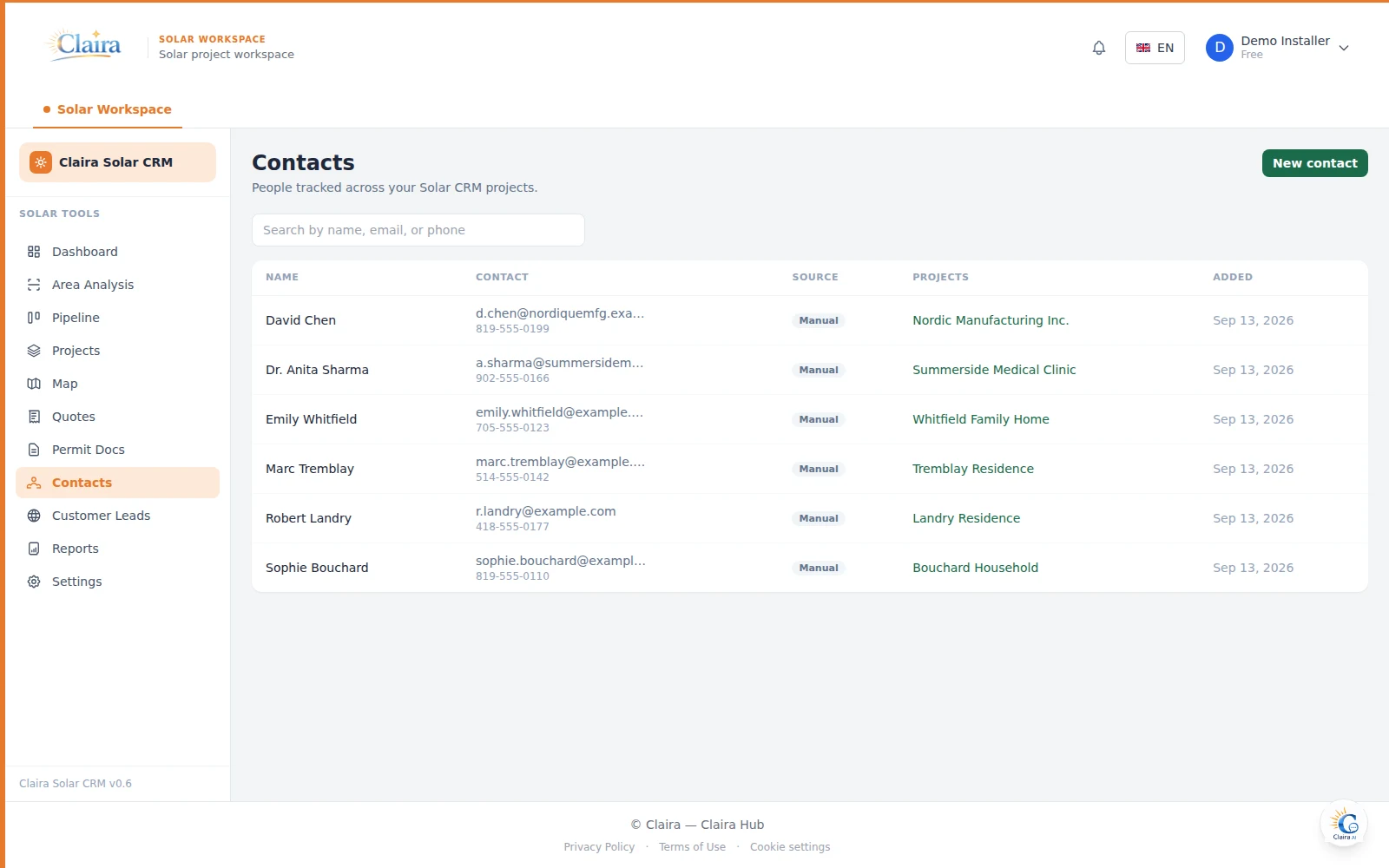
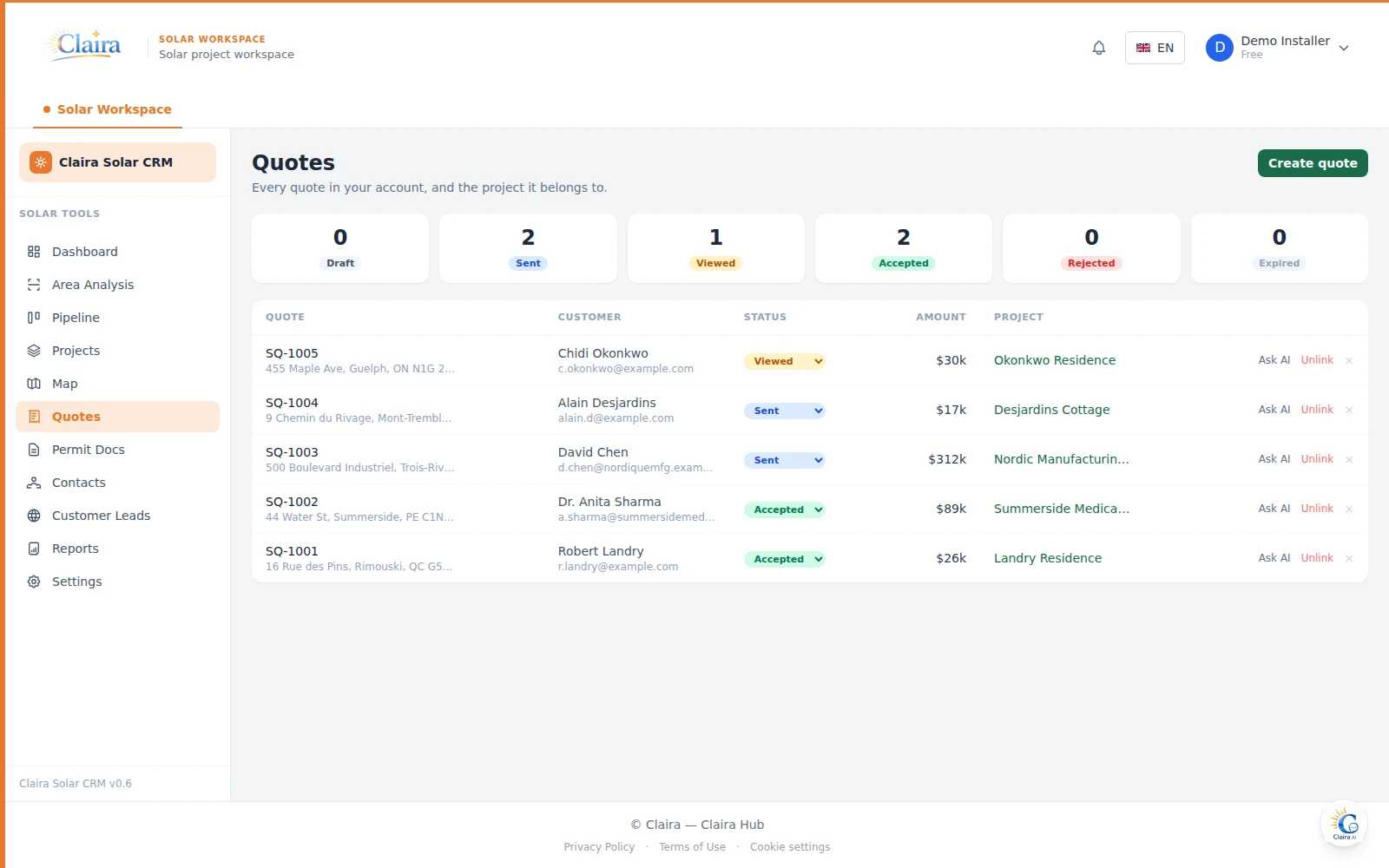
A dedicated contacts directory keeps decision-makers separate from raw inbound leads, while every quote in the account — draft, sent, viewed, accepted — rolls up into one inbox tied back to its project.
Connected Workspace
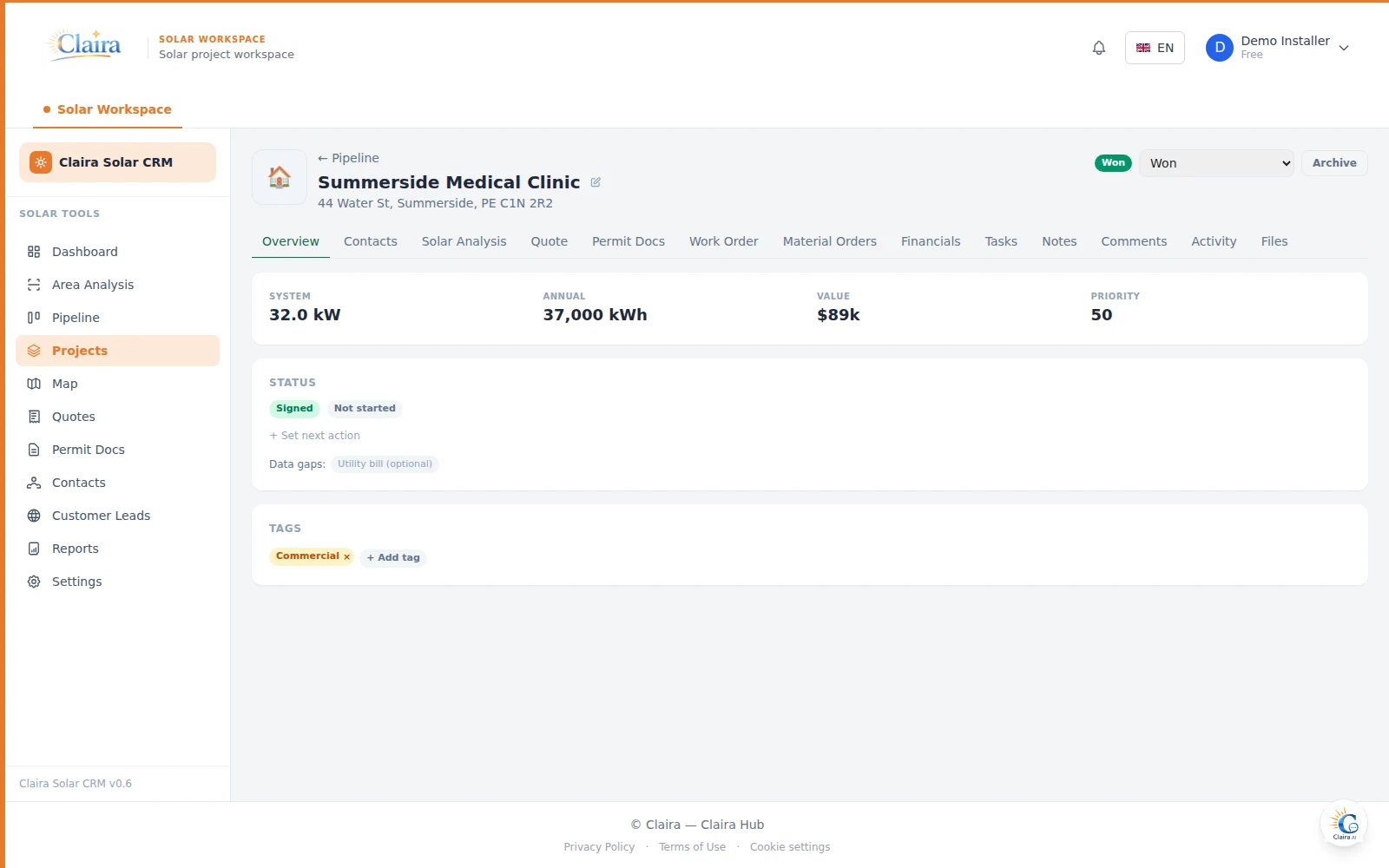
A CRM project isn't a duplicate record — it's connected to the same solAIr workspace your team already uses for site analysis, panel design, and financial modeling. Open a project's Solar Analysis tab to run or revisit the roof analysis for that address; system size, production, and pricing flow straight back into the project and its quote, with nothing to re-enter by hand.
Post-Sale Operations
Work orders, procurement, invoicing, and no-code automation keep the project moving after the sale — without switching to spreadsheets or a second tool.
Generate a crew-ready work order with equipment notes and instructions, plus a single PDF bundling permits, site photos, and tasks — and a mobile field link crews can open on-site to check off tasks and upload photos.
Create material orders against your supplier directory and track delivery status per project.
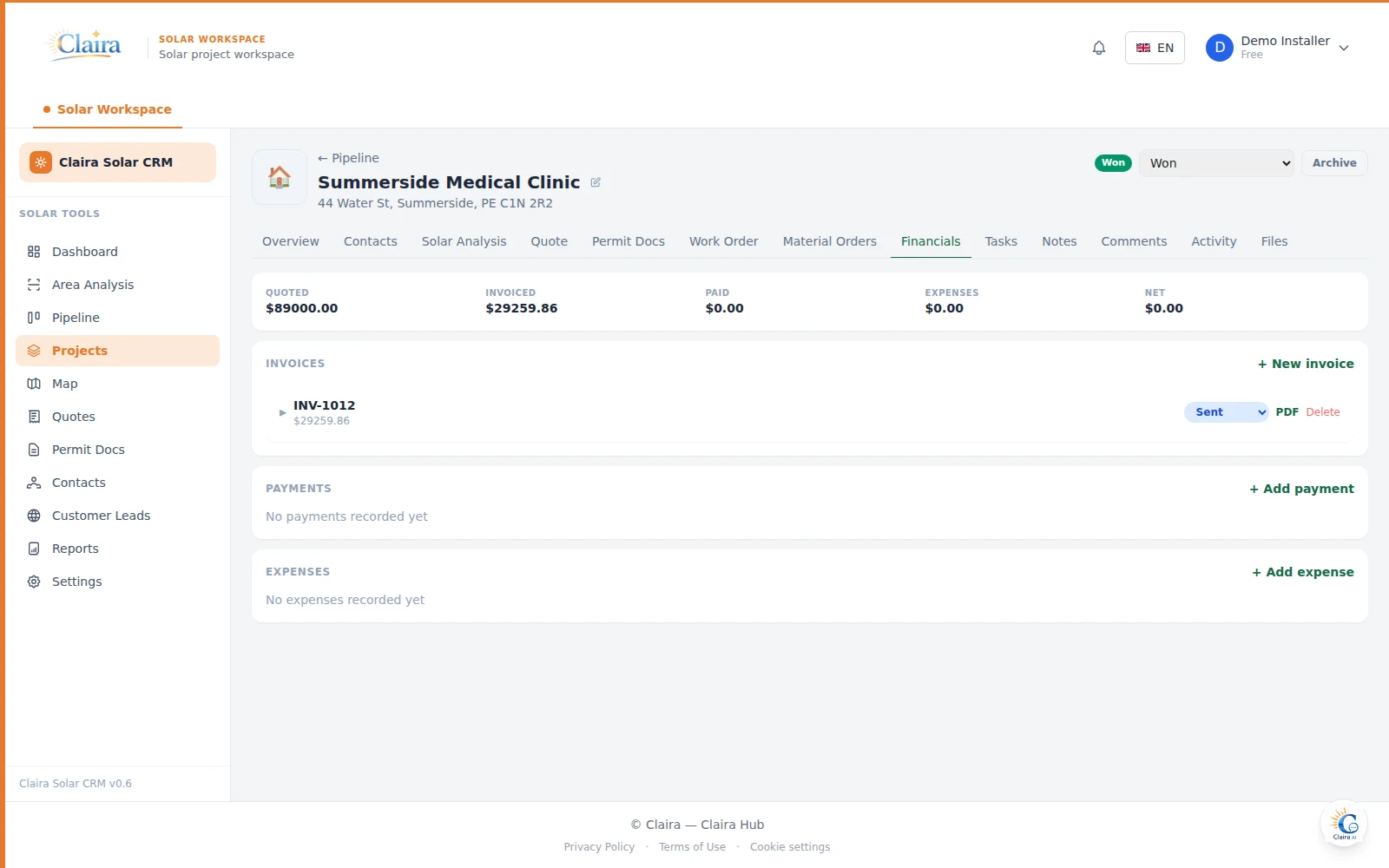
Turn a signed quote into a branded invoice, record payments and expenses, and see quoted vs. invoiced vs. paid at a glance.
Track financing status by partner, calculate rep commissions automatically from each project's live value, and see which contacts are driving your best referrals. Every quote also gets a one-click e-signature link.
Rules like "quote signed → create install checklist, notify crew lead" run without engineering involvement.
One connected path
A prospect enters the pipeline as a new lead, manually or converted from the embed widget.
Run the site's roof analysis and panel design directly from the project.
Pricing and production flow into a branded, signable quote.
Automation rules move the project forward and notify the team.
Work orders, material orders, and invoicing carry the job to close.
Book a walkthrough with your own territory, stages, and equipment.
Book a DemoTell us whether you want to evaluate the Solar Workspace, the Solar CRM, Claira Hub, or Claira Académie.